Retro Gaming Controller Designs: A Digital Asset for Modern Creators
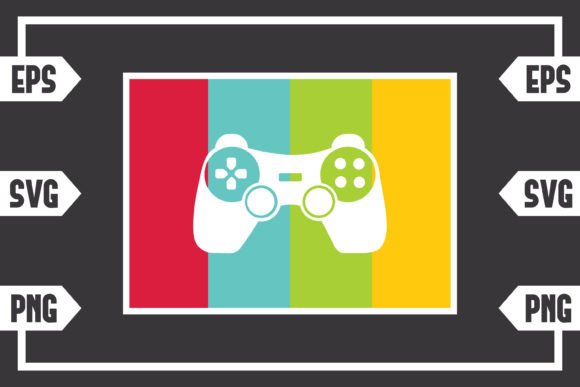
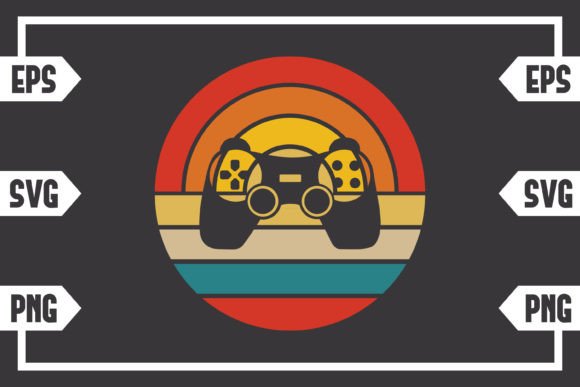
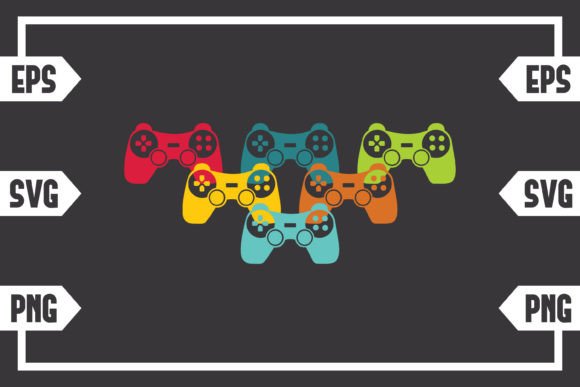
The aesthetic of classic video games holds a powerful, enduring appeal. The color palettes of 80s and 90s consoles, characterized by bold primaries, muted pastels, and distinctive pixel art, evoke a sense of nostalgia and fun. This visual language has found a vibrant new life in digital design, particularly through assets like a Retro Colors Gaming Controller graphic. This is not a physical joystick, but a versatile digital file that serves as a foundational tool for creators across numerous fields.
The Digital Download Package: Core Components Explained
When you acquire a digital asset like this, you receive a downloadable .zip file. Your purchase includes one set of files, and understanding the format of each is key to utilizing them effectively.
The SVG file (Scalable Vector Graphics) is perhaps the most crucial. This vector format uses mathematical points, lines, and curves to define the image. This means it can be scaled up or down infinitely without any loss of quality or sharpness. It is the preferred file for cutting machines like the Cricut Explore or Silhouette (using the Designer Edition software), as the machine’s blade follows these precise paths. It is also fully editable in professional design suites such as Adobe Illustrator, as well as in free, open-source software like Inkscape and Corel Draw.
Complementing the SVG is the EPS file (Encapsulated PostScript). This is another industry-standard vector format, often used for high-end print and illustration work. It is widely compatible with Adobe Illustrator, Corel Draw, and Inkscape, and serves as an excellent backup or alternative for complex design projects, ensuring the artwork remains editable at a professional level.
Finally, the package includes a PNG file with a 300 DPI resolution and a transparent background. DPI (dots per inch) refers to print quality; 300 is considered high-resolution, suitable for producing clear, detailed physical prints. The transparent background means the controller graphic sits alone without any white or colored box behind it, allowing you to place it seamlessly onto any digital document, website backdrop, or merchandise design.
Primary Use Cases and Creative Applications
The utility of a well-designed retro controller graphic extends far beyond a single niche. Its applications are as diverse as the community of creators who use it.
For crafters and hobbyists, the SVG file unlocks personalized merchandise. It can be cut from vinyl for custom t-shirts, hats, or laptop decals. It can be etched onto glass or wood, or used as a template for embroidery. The nostalgic design personalizes items for gamers, retro enthusiasts, or as unique gifts.
Digital designers and marketers leverage the PNG and vector files for web and print media. The graphic can serve as a key visual in blog posts about gaming history, an icon in a mobile app interface, or a striking element in promotional posters for a gaming cafe or retro-themed event. The transparent PNG is particularly useful for overlaying on diverse marketing materials.
Educators and content creators find value in such assets for creating engaging materials. A presentation on the evolution of technology might use this graphic to illustrate a point. A YouTube channel covering retro games could use it in its channel art or video thumbnails. The visual instantly communicates the topic and sets a thematic tone.
Even small business owners, particularly those in the gaming, tech, or pop-culture sectors, can incorporate this design into their branding. It could become part of a logo for a repair shop specializing in classic consoles, or used on the packaging for a retro-inspired product line. The ready-made, high-quality file saves significant design time and cost.
Characteristics and Advantages of a Vector-Based Design
The decision to provide the artwork in vector formats like SVG and EPS is a deliberate one, rooted in practical advantages. The most significant characteristic is scalability. Whether you need the design to be one centimeter wide for a keychain or two meters wide for a wall mural, the image will render with identical crispness. There are no pixelated edges or blurry artifacts.
Another major advantage is editability. Unlike a static JPEG, a vector file is a collection of editable shapes and color fills. A user can change the iconic retro colors if a project requires a different palette, separate individual buttons for unique effects, or even modify the shape of the controller itself to better fit a specific layout. This flexibility transforms a single asset into a starting point for countless derivative works.
Furthermore, these files promote compatibility and professional integration. The provided formats are the lingua franca of design software. They ensure the asset can move smoothly from a crafter’s Silhouette Studio to a graphic designer’s Adobe Illustrator without requiring conversion, which can sometimes degrade quality or alter colors.
Considerations for Working with Digital Assets
While the benefits are clear, effectively using such a download requires some basic understanding. First, users must have access to software that can open and manipulate the files. For SVG and EPS, this means a vector-editing program. Many are free, like Inkscape, but their functionality varies. The PNG file is more universally accessible, viewable in basic image viewers, but its editing capabilities are limited without a pixel-based editor like Photoshop.
Color fidelity can be another consideration. The vibrant retro colors are defined within the file, but different printers, materials (like vinyl vs. paper), and software color profiles might cause slight variations in final output. It is always advisable to test a small sample when producing physical items.
Finally, understanding the license and intended use associated with the download is essential. Most digital assets of this type are for personal and commercial use, but checking the specific terms is crucial. They typically allow for creating and selling finished products, but might prohibit reselling or redistributing the digital file itself.
Integrating Nostalgia into Modern Design Workflows
The workflow for using this asset depends entirely on the end goal. For a vinyl cutter user, the process involves importing the SVG into their cutting software, sizing it, setting the material type, and sending the design to the machine. For a digital illustrator, they might open the EPS file, isolate the controller’s directional pad to use as a standalone icon in a UI design, and recolor it to match a brand scheme.
The retro aesthetic itself serves as a powerful communication tool. In a crowded visual landscape, the distinct look of a Retro Colors Gaming Controller immediately signals gaming, a specific era, and a lighthearted tone. This makes it an efficient design choice when trying to convey those concepts quickly, whether on a website, a product, or an event flyer.
Observing current trends, nostalgia-driven design is more than a fad; it’s a sustained movement. By providing a core, editable component of that aesthetic—the classic controller shape with its signature color block—this digital download empowers creators to participate in that trend without needing to start from a blank canvas. It is a bridge between the beloved visual heritage of gaming’s past and the limitless creative possibilities of the digital present.