The Perfect Mix: An Aries Gaming Controller Design for Personal Projects
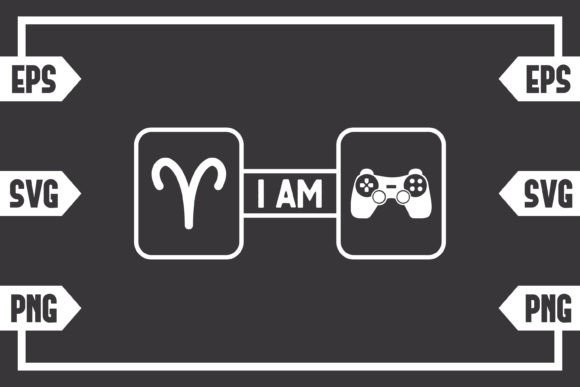
You've seen the combination before: the bold, confident ram of the Aries zodiac sign paired with the familiar silhouette of a gaming controller. It’s a powerful symbol that resonates deeply. It speaks to the competitive spirit, the drive to win, and the passion for digital worlds that so many Aries individuals—and gaming enthusiasts—embody. This isn't just an image; it’s a visual shorthand for personality and passion. That's why having a high-quality, versatile digital file of this design can be such a valuable asset for creators and small business owners. But the journey from spotting this great idea to successfully using it has a few common pitfalls. Let's navigate them together.
Understanding Your Purchase: It’s a Toolkit, Not a Picture
The first, and most crucial, point to grasp is what you're actually buying. You are purchasing a digital download only. This means no physical sticker, t-shirt, or mug will arrive at your door. Your purchase includes one .zip file containing three distinct file formats: an SVG, an EPS, and a PNG. Each serves a different, vital purpose in the digital creation workflow. A common oversight is treating this like buying a simple JPEG online, which leads to frustration when the file won't work with your design software or cutting machine. Recognizing this bundle as a professional toolkit for creation is the first step toward using it effectively.
People are drawn to this Aries gaming controller motif for personalization. It’s perfect for customizing gaming setups, creating unique merchandise for a small brand, or adding a personal touch to gifts. The mistake? Not matching the file format to your intended project and tools. Using a PNG when you need a vector for a cutting machine, for example, will result in a pixelated, unusable mess. The advice here is simple: always identify your end goal and the primary software you'll use before you download.
SVG: The Gateway for Crafters
The SVG file is your go-to for machines like the Cricut Explore or Silhouette (with Designer Edition). This is a vector file, meaning it's built from mathematical paths, not pixels. This allows it to be resized infinitely without any loss of quality—a must for cutting vinyl or printing on various materials. A typical error is trying to upload a PNG file to these machines, which often fails or produces poor cuts. The SVG file elegantly solves this. Before you start, ensure your design software or machine interface supports SVG import. If you're using basic Silhouette Studio, you'll need the upgraded Designer Edition to open it, a detail often overlooked.
EPS: The Professional’s Vector Choice
The EPS file is another vector format, prized in professional graphic design environments like Adobe Illustrator, Corel Draw, or Inkscape. It’s excellent for large-scale printing, intricate editing, and incorporating the design into complex layouts. If you plan to modify the design—say, changing the color of the ram symbol or integrating it into a larger poster—the EPS is your best starting point. A misunderstanding here is assuming all vector files are the same. While SVG and EPS are both vectors, EPS can sometimes handle more complex path data for advanced software. Choose EPS for heavy editing in professional suites.
PNG: The Ready-to-Use Image
The included PNG file with a 300dpi high-resolution transparent background is your plug-and-play option. This is ideal for quick digital use where resizing isn’t a major concern. Think of using it in a video overlay, a blog post graphic, or a temporary social media banner. The high resolution and transparent background mean it looks clean on various digital canvases. The pitfall? Using this PNG for physical print projects like a large decal or a t-shirt. At a certain size, the PNG will reveal pixelation. Always use the vector files (SVG or EPS) for any physical, printed, or cut item.
Before You Download: The Essential Checks
A moment of preparation prevents hours of troubleshooting. Here’s a practical checklist to run through right after purchase, but before you dive into your project.
- Software Compatibility: Do you have software that can open the files you need? For SVG, check your cutting machine’s requirements. For EPS, ensure your Illustrator or equivalent is up to date.
- Storage Location: Download the .zip file to a known, easily accessible folder on your computer. Immediately extract the files. Leaving them zipped is a frequent minor error that adds an unnecessary step every time you want to use the design.
- Project Scale: Decide on the size of your final product. If it’s larger than a standard sheet of paper, you must commit to using the SVG or EPS file.
- Edit Intent: If you want to change anything, open the EPS file in your vector program. The PNG and SVG are not typically meant for deep editing.
Ignoring these checks can lead to a cycle of frustration: the file won't open, the design looks blurry, or your machine rejects it. This wastes time and can diminish the excitement of your project.
A Realistic Example: From Mistake to Mastery
Imagine you want to make a custom laptop skin with the Aries gaming controller design. A poor approach would be downloading the file, seeing the PNG, and sending that to a print shop. The shop might print it, but at 15 inches wide, the image could look fuzzy and unprofessional. The better, constructive approach is to plan. You know it’s a physical item at a large scale. You open the .zip, locate the EPS file, and open it in your design software. You confirm the design’s integrity at the enlarged size, adjust colors if needed, and then send the pristine vector file to the printer. The result is sharp, professional, and exactly what you envisioned.
Another example involves crafters. The desire is to make a set of themed drink coasters using a cutter. The common rush is to download, upload the first file you see to Cricut Design Space, and hit “Make.” If that file was the PNG, the system might convert it poorly, creating jagged edges. The corrected method is to patiently select the SVG file during upload. The machine reads the clean paths, allowing you to set precise cut lines and material settings, leading to a perfect, smooth-cut coaster.
Making the Design Work for You
This Aries and gaming controller bundle offers incredible flexibility, but that flexibility requires a bit of directed intention. By understanding the purpose of each file, checking your tools and goals beforehand, and avoiding the common trap of using the wrong format for the job, you turn a simple download into a powerful creative asset. It moves from being just a cool image to being a reliable component in your branding, your crafting, or your personal expression. That’s the real win: acquiring a toolset that works as hard as your Aries spirit does.