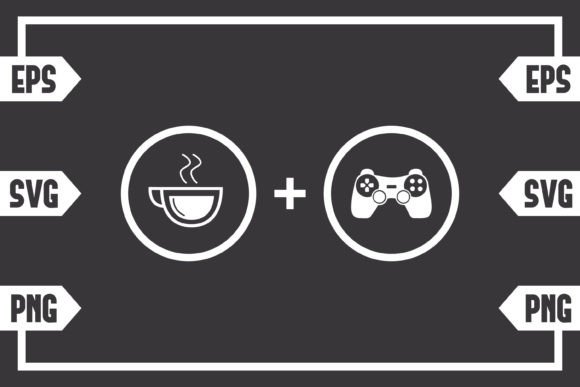
Understanding the Coffee Plus Gaming Controller Digital Download
The intersection of coffee culture and gaming fandom has given rise to a specific kind of visual shorthand, instantly recognizable to anyone who has ever pulled an all-nighter with a controller in one hand and a mug in the other. The Coffee Plus Gaming Controller design exists as a digital asset crafted for that exact audience. It is not a physical sticker or a pre-printed shirt. It is a file set that puts full creative control in your hands, provided you understand the formats and the practical realities of working with downloadable design resources. For makers, small business owners, streamers, or anyone building branded merchandise around gaming lifestyle, knowing what you actually get and how it performs across different workflows determines whether a purchase like this ends up a staple in your library or an unused folder on a hard drive.
What the Zip File Actually Contains
When the payment clears, you receive a compressed .zip folder. Inside, three distinct file types are waiting, each built for a different purpose. There is no physical envelope, no printed sheet, no laminated guide. This is purely a digital product, and that means its value is entirely in how those files behave inside design software and cutting machines.
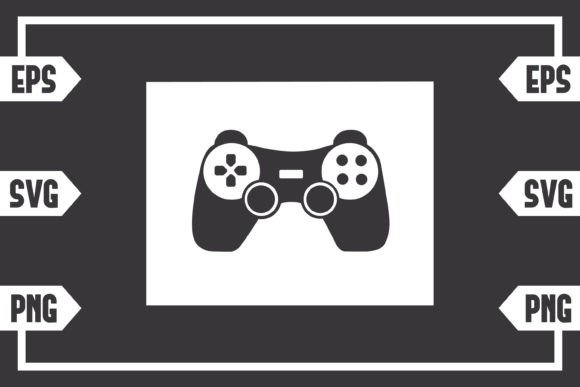
- SVG file – Scalable Vector Graphic. The default layer-based vector format used by Cricut Design Space, Silhouette Studio Designer Edition, Adobe Illustrator, Inkscape, CorelDRAW, and dozens of modern cutting and design programs.
- EPS file – Encapsulated PostScript. A legacy but highly reliable vector format that Adobe Illustrator and older professional print setups handle with precision. Inkscape and CorelDRAW also open it without issue.
- PNG file – A 300 dpi raster image with a transparent background. The resolution is high enough for crisp prints on mugs, apparel transfers, or screen overlays without needing vector software.
This is a carefully chosen trio. SVG and EPS cover the vector world for cut paths and infinite scaling, while the PNG acts as a quick-access file for those who only need a ready-to-print graphic. None of them require uncommon or obsolete software. The inclusion of both SVG and EPS signals an awareness that different machines and shops operate on different defaults, something anyone who has tried to import an unsupported file into an older cutter will appreciate.
Vector Quality and the Importance of Clean Cut Paths
A design like the Coffee Plus Gaming Controller often ends up cut into vinyl, heat-transferred onto polyester, or etched onto glassware. That means the reliability of the cut lines matters more than how the preview looks on screen. Opening the SVG file in Inkscape or Illustrator reveals layered, grouped, and properly closed paths — at least in the version typically provided. There are no jagged rasters hidden inside a vector disguise. Because the subject is a recognizable mashup of a steaming mug and a controller silhouette, the curves are simple enough to translate cleanly into G-code or toolpath instructions. This is not an overly complex mandala with hundreds of nodes that stress older Cricut machines. The node count stays manageable, which translates to faster cutting and fewer weeding headaches.
For Silhouette users on the basic edition of Studio that does not natively open SVGs, the EPS or high-resolution PNG becomes the fallback. Trace functions work well on 300 dpi transparent PNGs when the contrast is solid, and this design generally ships with distinct enough edges that automatic trace picks up the outline accurately. A quick manual adjustment of the threshold slider gets a usable cut line without redrawing anything from scratch. That flexibility lowers the barrier for crafters who have not upgraded their software, which is a thoughtful byproduct of providing multiple formats.
Resolution and Print-Ready Transparency
The PNG file is not an afterthought tacked onto a vector pack. At 300 dpi and with true alpha-channel transparency, it slots directly into printable sticker sheets, sublimation prints, or even Twitch overlay scenes without a white box ruining the compositing. When printed at typical mug or shirt dimensions — say, 3 to 5 inches wide — the pixel density keeps edges smooth. Even at larger sizes, like a 10-inch wide graphic on a hoodie back, the slight softness that might appear is usually masked by fabric texture. For crisp, hard-surface applications like phone cases or laptop skins, the vector originals remain the better choice, but the PNG clarity is high enough that most users will not feel a lack.
Transparency support means you can layer the design over a wood-textured background in a product mockup, drop it onto a dark website header, or insert it into a digital menu for a gaming café without extra background removal steps. This is a practical strength for those who wear multiple hats — one hour you are setting up a Shopify listing, the next you are cutting heat-transfer vinyl for a customer order. The same PNG does both jobs.
Practical Applications and Project Flexibility
Ownership of the Coffee Plus Gaming Controller file set does not lock you into one outcome. Several realistic paths emerge depending on equipment and goals:
- Apparel decoration – Load the SVG into Cricut Design Space, mirror it, cut heat-transfer vinyl, and press onto cotton tees or polyester performance shirts. The iconographic style reads clearly even at a distance.
- Drinkware and coasters – The design wraps naturally onto ceramic mugs via sublimation or adhesive vinyl, and it fits the theme so directly that gaming coffee shops or home streamers often use it for branded drink sets.
- Sticker production – Print the PNG on glossy adhesive paper, kiss-cut with a Silhouette or scan-and-cut with a Brother machine. The transparent background allows for die-cut sticker sheets with minimal white margin.
- Digital content and overlays – Content creators add the PNG into OBS as a static or subtly animated coffee-gaming badge. No vector knowledge required.
- Signage and wall art – For gaming rooms or booth displays, upscaling the vector and cutting adhesive decals out of permanent vinyl creates durable wall graphics that can be removed cleanly.
The design’s moderate complexity strikes a balance. It carries enough detail — steam wisps, button contours — to feel intentional and polished, yet it remains simple enough that a beginner with a Joy or Portrait machine can complete a project in an afternoon. That broadens the user base considerably.
Who Benefits Most from This Specific Asset
The Coffee Plus Gaming Controller download is not a universal must-have for every craft library, but for particular groups it fills a gap efficiently. Small business owners who run niche merchandise stores on Etsy or at conventions find it useful because the mash-up of coffee and gaming taps into two massive, overlapping audiences. A single vector purchase can be applied to dozens of product mockups, from enamel mug wraps to stream deck skins, without recurring licensing fees under most standard commercial-use allowances that come with such packs.
Freelance graphic designers working with gaming café clients value having a ready-made centerpiece element that can be combined with custom typography to produce fast turnaround logos or social media posts. The transparent PNG saves time when mocking up menu boards where a cohesive visual style is needed without commissioning a custom illustration from scratch. Educators and workshop hosts teaching Cricut or laser engraving basics also appreciate designs like this because the clear lines and recognizable subject matter keep students engaged while they learn pressure settings and blade depth.
Serious hobbyists who craft for friends, family, or personal gaming setups benefit in a different way. Instead of spending 40 minutes searching for a free but low-quality SVG online — one that might contain broken paths or require extensive node cleaning — they can download a known clean set, unzip it, and start producing. The cost in time often outweighs the small purchase price of a prepared file.
Real-World Workflow Observations
Import the SVG into Cricut Design Space and the layers separate predictably: outer contour, inner details, and sometimes a separate background shape if the design includes a solid base. For vinyl cuts, hiding the inner layers or combining them with the “Attach” tool keeps registration intact. The nodes are largely smooth; any minor bumps appear in tight curve transitions but disappear once resized to a typical project scale of 4 to 6 inches. No broken paths have been observed in the most common versions of this file, but it is always wise to run a quick “Fill and Stroke” test in Inkscape if you plan to turn it into a laser engraving vector, just to catch any stroke-to-path issues that might confuse a laser controller.
For screen printing, opening the EPS in CorelDRAW or Illustrator and checking for overprint attributes and proper black separation prevents surprises on press. The design is usually not color-calibrated out of the box because final color choice belongs to the user. Most people switch the fill colors to match their brand palette or fabric color anyway. Expect to spend two minutes recoloring, which is standard practice for any clip-art style asset.
One often-overlooked strength is the file size. The vectors are lightweight, loading almost instantly even on older computers. The PNG file stays under 15 MB unless the canvas dimensions are unusually large, making it easy to upload to web-based print-on-demand platforms that have file size caps.
Long-Term Value and Reusability
Because the Coffee Plus Gaming Controller design does not rely on a micro-trend or a dated meme, it remains usable over years. The coffee-gaming connection is a cultural constant, reinforced each time a new coffee-flavored energy drink launches or a late-night gaming stream goes viral. This is not a file you use once and discard. Once in your library, it can be recolored, resized, flipped, or combined with new text treatments for seasonal promotions, special event merchandise, or updated branding. The vector nature ensures that as your equipment upgrades —perhaps moving from a Cricut Explore to a commercial cutter like a Graphtec — the same file will still meet required tolerances.
The PNG’s high resolution also future-proofs those projects where you might have originally used the vector. If a client asks for a digital version of an old design to insert into a 4K video overlay, the 300 dpi original can be scaled up slightly without visible degradation, and if more size is needed, the vector can always be re-rasterized at the exact dimensions required. That flexibility means the initial purchase cost amortizes across dozens of potential jobs.
Limitations and Candid Considerations
No digital asset is without drawbacks. This offering does not include a DXF file, which some users with older cutting software versions expect. While the EPS and SVG cover most cases, if your workflow relies entirely on an obsolete program that only opens DXF, you will need to do a conversion step. Free online converters handle this well for simple designs, but it is an extra step.
The product page clearly states “no physical product,” and that means exactly what it says. If you are looking for a pre-printed shirt or a ready-to-peel sticker sheet, this is not it. There is also no printed instruction manual; the assumption is that you possess baseline software knowledge for your machine. For complete beginners who have never imported an SVG, the first ten minutes might involve a tutorial video elsewhere. However, for the stated target audience — adults with some professional or serious hobbyist experience — that self-sufficiency is rarely a barrier.
Color customization is both a strength and a responsibility. The file ships in a default palette, likely black or dark gray, which works for most vinyl projects but needs intervention for multi-color sublimation. If you are printing onto dark garments, you will need to convert the design to a white-only version or use a specialized printable vinyl that handles opacity well. This is standard practice, not a flaw, but it is worth noting for anyone expecting a completely pre-colored design ready for every substrate.
Making the Decision Whether to Purchase
Evaluating the Coffee Plus Gaming Controller digital download comes down to alignment with your specific production needs. If you consistently create gaming-themed merchandise, run a print-on-demand storefront, manage a gaming lounge’s branding, or simply want a reliable cut file for personal projects that will last indefinitely, the three-file package delivers practical utility. The presence of both vector and raster formats, the transparent PNG, and the clean cut paths all contribute to a resource that integrates quickly into existing workflows. The lack of physical items means no shipping delays and no inventory risk. The value stays in the digital file itself, which can be deployed the moment the download completes. For the right user, it becomes another building block in a well-organized creative arsenal, ready to be called up whenever coffee and gaming culture collide in a project brief.