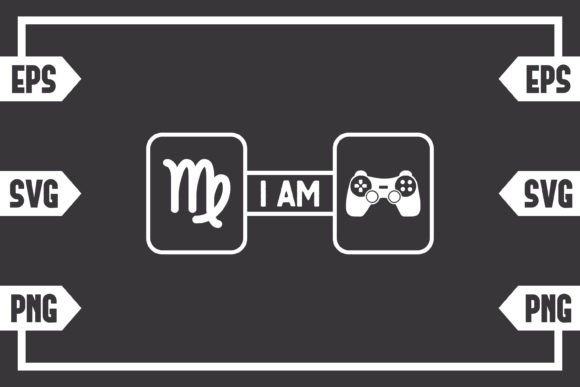
Virgo Sign and Gaming Controller: A Crafted Crossover for Precise Creators
You found a design that merges a meticulously drawn Virgo zodiac symbol with a modern gaming controller. It is not a physical patch, sticker, or shirt that shows up in your mailbox. This is a digital download only — a .zip file containing ready-to-use vector and raster artwork you bring to life with your own equipment. For crafters who run a Cricut or Silhouette, for streamers wanting a custom overlay, for small business owners who sell gamer merch, this file bundle puts control in your hands. Understanding exactly what you are getting and how to handle each format keeps frustration off the table and ensures a polished final piece.
Why This Design Speaks to Virgos Who Game
Virgo energy is analytical, detail-oriented, and quietly competitive. A gaming controller represents focus, strategy, and the satisfaction of mastering a system — all traits a Virgo sun or rising sign person might recognize instantly. Blending astrology with gaming culture gives you a niche design that feels personal, not mass-produced. People use this artwork for personalized mouse pads, enamel mug decals, twitch channel badges, or as part of a zodiac-themed apparel line. The crossover appeals to gift-givers looking for something that reflects both a loved one’s star sign and their hobby, without resorting to generic horoscope graphics. Because this is a digital file set, you can resize, recolor, and repurpose it endlessly, provided you stick to the usage terms.
Treating the PNG Like a Vector File
One of the quickest ways to ruin a print or cut project is loading the high-resolution PNG into your cutting machine software and expecting crisp, scalable paths. The PNG has a transparent background at 300dpi and looks sharp on screens, but it is a raster image built from pixels. If you enlarge it well beyond its original dimensions for a big poster or a wide-format heat transfer, edges turn soft or jagged. The mistake is not the file itself; the mistake is leaning on the wrong format for the wrong job. Always start with the SVG or EPS when you need infinite scaling. Reserve the PNG for sublimation prints, digital mockups, web graphics, or when your software cannot handle vector paths natively.
Ignoring Software Requirements Before Purchase
The listing states you receive one .zip containing an SVG, EPS, and PNG. This seems straightforward, yet many buyers assume any cutting machine accepts any file right away. Silhouette Studio Basic Edition, for example, does not open SVG files unless you upgrade to Designer Edition or higher. Cricut Design Space imports SVGs without issue, but free versions of other graphic tools might choke on an EPS. Before clicking “buy,” check what your specific software version supports. If you use Inkscape or Adobe Illustrator, you are covered for everything. If you rely on a mobile app or a lock-in subscription tool, the EPS might sit unused. Knowing this ahead of time helps you bypass the panic of a file that “doesn’t work,” when in reality it simply demands a compatible program.
Assuming Every SVG Is Plug-and-Play for Cutting
A beautifully designed SVG can still contain open paths, unfilled strokes, or ungrouped layers that confuse a plotter. Some crafters import the design, hit “Make It,” and wonder why the blade drags across the material in jagged lines or why tiny floating pieces appear out of nowhere. The designer may have created the graphic with a particular aesthetic that requires a bit of prep — releasing compound paths, welding overlapping letters, or attaching score lines. Not every SVG arrives press-and-go. The same precision that makes a Virgo-themed controller look stunning also means small, delicate cuts need attention. Test on scrap vinyl or cardstock first, and examine the cut preview layer by layer.
Skipping a Color Calibration Check
If you plan to print the controller-and-Virgo artwork on transfer paper, sticker sheets, or card fronts, the colors you see on screen can drift on physical output. A midnight blue background might print with a purple tint, or the subtle wheat gold of the stars could turn muddy. This is not a file defect — it is a screen-to-printer mismatch. Calibrate your display and run a small test print before consuming an entire sheet of premium vinyl. When working with vectors, take advantage of the ability to adjust exact CMYK or RGB values in the SVG or EPS to match your ink or heat transfer paper specifications.
Overcomplicating the Design Before Understanding Layers
Gamers and astro enthusiasts often layer the controller graphic onto tye-dye patterns, holographic backgrounds, or neon gradients. Without planning, the intricate Virgo glyph can get lost against busy backdrops. The controller outline might disappear, or the constellation details merge into a dark substrate. Evaluate the negative space inside the design. If you plan to cut adhesive vinyl, consider weeding tiny interior pieces — a task that can test anyone’s patience. A more effective approach is to create a solid backer shape behind the controller, or use the PNG as a print-then-cut sticker where the printer handles the fine details and your blade only traces the outer perimeter.
Practical Applications That Avoid Wasted Effort
This file set thrives when matched to the right technique. Hobbyists with a heat press produce clean, one-color gamer hoodies using the SVG on everyday iron-on vinyl — no layering, no registration nightmares. Streamers download the PNG, drag it into OBS, and position a subtle Virgo controller over their webcam frame. Small business owners import the EPS into Adobe Illustrator, tweak the stroke weight for a sharper engrave, and create a custom metal keychain mockup for a client on Etsy. If someone tries to use the high-detail SVG for a tiny, single-color rubber stamp, the small constellation dots might clog or fail to transfer. Recognizing the physical limits of your process prevents disappointment. An etched pint glass with the simplified outer silhouette often reads better than forcing every intricate detail into a medium that cannot hold it.
What You Should Check Before You Download and Create
Take a moment to open the .zip as soon as you download it. Confirm the file extension matches what your device reports — occasionally a system renames an EPS to a generic format. Check the resolution and transparency of the PNG by dropping it onto a dark background in your image editor; if you see a white box instead of a clean edge, something went wrong during the unzip or transfer. Look at the SVG in a web browser or vector editor to verify that the design is intact. For commercial projects, review the license terms. Many digital creators, including this one, allow personal and small business use, but mass redistribution of the file itself is never permitted. Clarifying usage rights beforehand saves legal headaches and supports the artist.
Better Habits for Smoother Projects
- Organize your digital assets. Save the original zip untouched, then extract copies into a project folder. If you accidentally mess up a file during editing, you still have the pristine version.
- Perform a dry run. With a cutting machine, place a sheet of copy paper on the mat and do a test draw with a pen instead of a blade. You will see exactly how the paths connect without ruining materials.
- Size with intention. For a standard unisex tee, keep the design width around 10–11 inches. For a mug, measure the printable area first. Resizing in vector software using actual dimension inputs — not just dragging a corner — preserves proportions and avoids stretching the Virgo symbol out of shape.
- Use the right adhesive. If you are applying a permanent vinyl decal to a water bottle or gaming headset, select outdoor-grade or high-grip material. The smooth controller curves demand a strong bond on curved surfaces.
When the Aesthetic Meets the Astrological Detail
The Virgo sign is not a simple “M” with a loop; it carries a distinctive flourish that mirrors a maiden’s harvest, often drawn with a precise crossing stroke. A low-quality trace can turn that elegance into a bloated blob. This digital design preserves the clean, astrological integrity, pairing it with the familiar D-pad, buttons, and hand-grips of a modern controller. The intersection feels intentional, not forced. That said, if your project goal is a minimalist line-art logo, you might want to remove the smaller decorative dots inside the controller in your vector editor. Doing so creates a bolder silhouette. The advantage of having the SVG and EPS is that you can make those tasteful modifications without losing sharpness.
Why “No Physical Product” Works in Your Favor
At first, the phrase “digital download only” can catch some shoppers off guard — especially those accustomed to ordering decals ready to peel and stick. However, this approach puts creative control in your hands and eliminates shipping wait times. You get the files immediately after payment. You decide the size, color, material, and final application. If you want a frosted glass effect on a mirror, you cut the SVG from etching cream stencil vinyl. If you later decide the design would look better as an embroidered patch, you can use the EPS to send to a digitizer. No physical product means no inventory limits and no production bottlenecks. You supply the craftsmanship; the files supply the blueprint.
Avoiding the Rush-Job Regret
Time pressure is a common source of mistakes. You need a last-minute birthday gift, so you download the files, drag the PNG straight into a canvas, and hit print on a low-ink home printer. The result is a faded, pixelated iron-on that starts cracking after one wash. Instead, work backward from the occasion. If you have three days, order a sample print from a local copy shop using the high-resolution PNG on their color-calibrated laser printer, then apply it yourself. If you have a week, cut a layered vinyl version with the SVG and press it on quality apparel. Giving yourself a buffer allows you to correct issues like misaligned layers or discoloration before the final piece is set.
Making the Most of Each File Type
- SVG: best for cutting machines, digital scrapbooking, and scalable web graphics. Direct import into Cricut Design Space or Silhouette Designer Edition. Retains layered colors if you separate them.
- EPS: the industry standard for professional printing, engraving, and large-format signage. Open in Adobe Illustrator, Corel Draw, or Inkscape. Perfect for vector editing without compatibility hiccups.
- PNG: 300dpi transparent background. Ideal for mockups, sublimation, waterslide decals, and printables where a full vector workflow is unnecessary.
No single file is “better” — matching the format to the method saves time and material. When in doubt, experiment with a small version of each. You might discover that your specific laser engraver prefers EPS line weight adjustments, while your UV printer handles the PNG beautifully without any extra steps.
Steering Clear of the Most Subtle Oversight
Even experienced crafters sometimes forget that a compressed folder can contain hidden resource files like font information or metadata. This .zip keeps it clean, but extracting on a mobile device might alter file names or drop the transparent channel. Always decompress on a desktop or laptop to maintain file integrity. If you later move the PNG to a phone for a quick Instagram story mockup, that is fine, but do not let your phone’s photos app convert it to a JPEG and strip the transparency without you noticing.
An Approach That Honors Both the Art and the Maker
The Virgo Sign and Gaming Controller digital bundle is built for people who value precision — much like the sign itself. Treat each download session as part of your process, not a hurdle. Check compatibility, test cuts, respect the format differences, and you turn a simple zip file into a lineup of products, decorations, or gifts that look professionally made. The absence of a physical product is not a limitation; it is an invitation to produce exactly what you envision, on your own timeline, with materials you trust. That alignment of thoughtful astrology and gamer dedication leaves little room for error, and when mistakes do pop up, they are almost always tied to skipping one of the preparatory steps detailed above. A little upfront diligence transforms a clever digital design into something tangible and lasting.